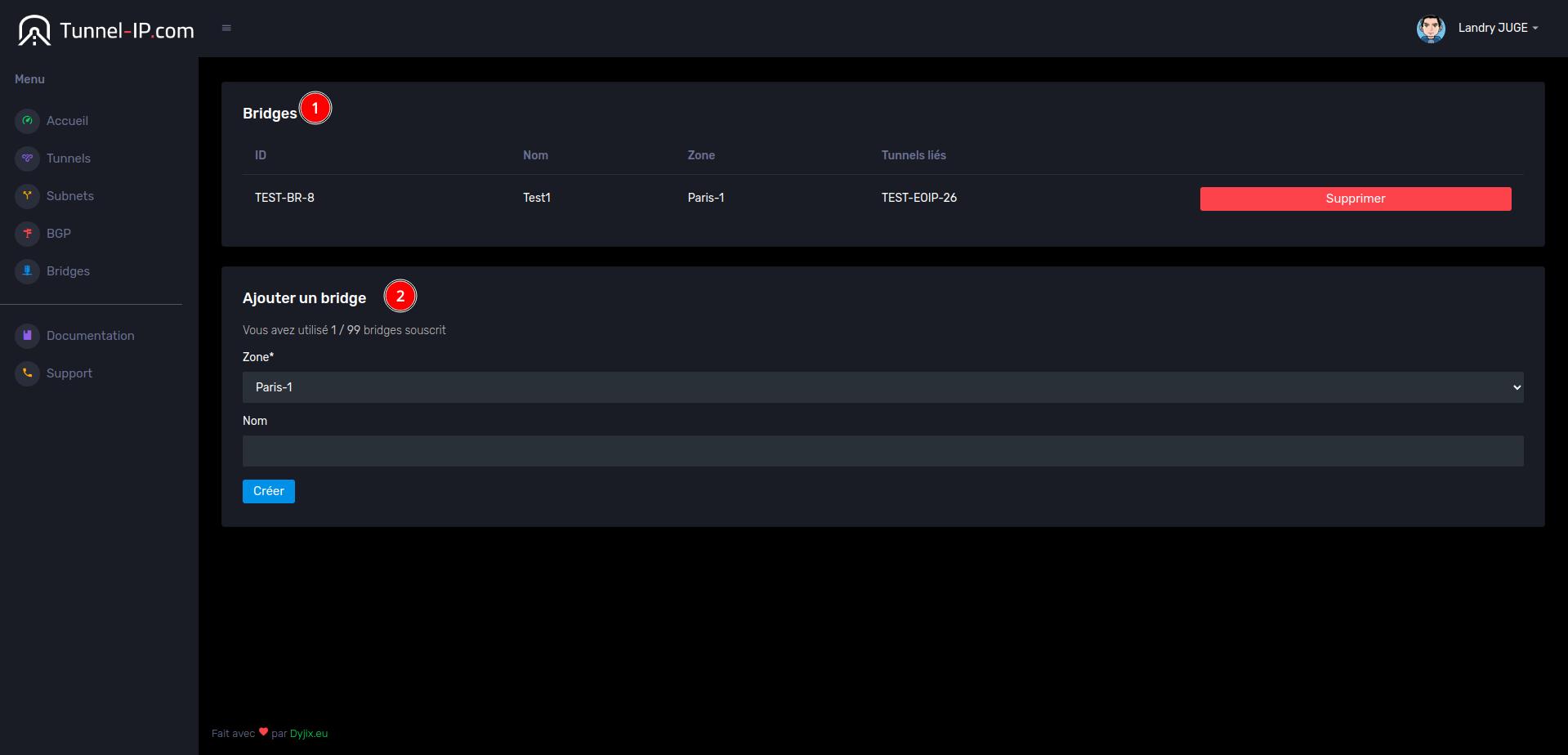
The Tunnel-IP.com interface
Here we'll teach you how to use the Tunnel-IP.com interface to manage your tunnels.
The dashboard :
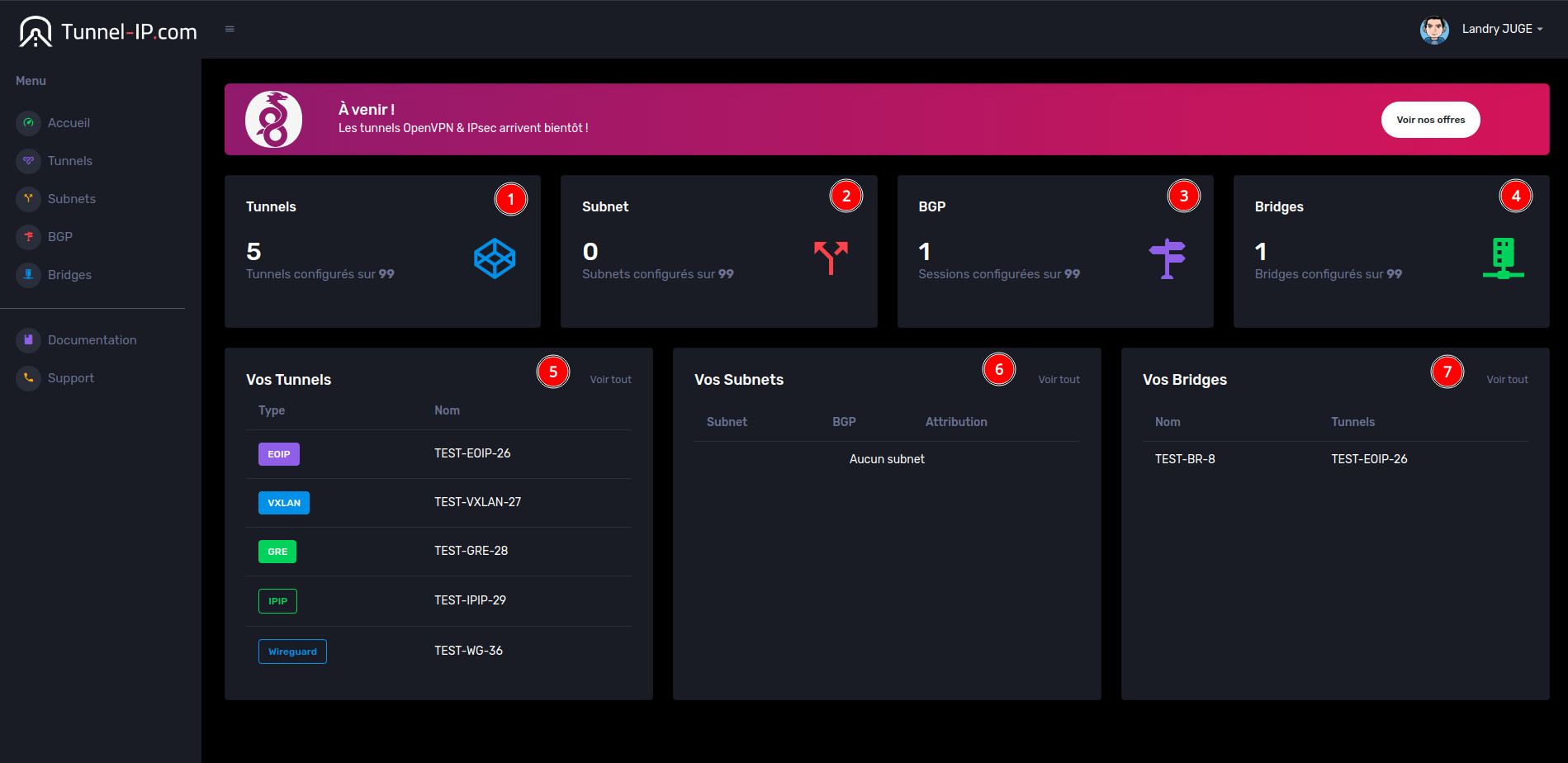
This page gives you a complete overview of your tunnel infrastructure.
In #1 you'll see the number of tunnels used in relation to your subscription, and in #2, #3 and #4 the same thing. for subnets, BGP sessions and bridges.
In #5, #6 and #7 you finally have a succinct list of your tunnels, subnets & bridges
Tunnels page :
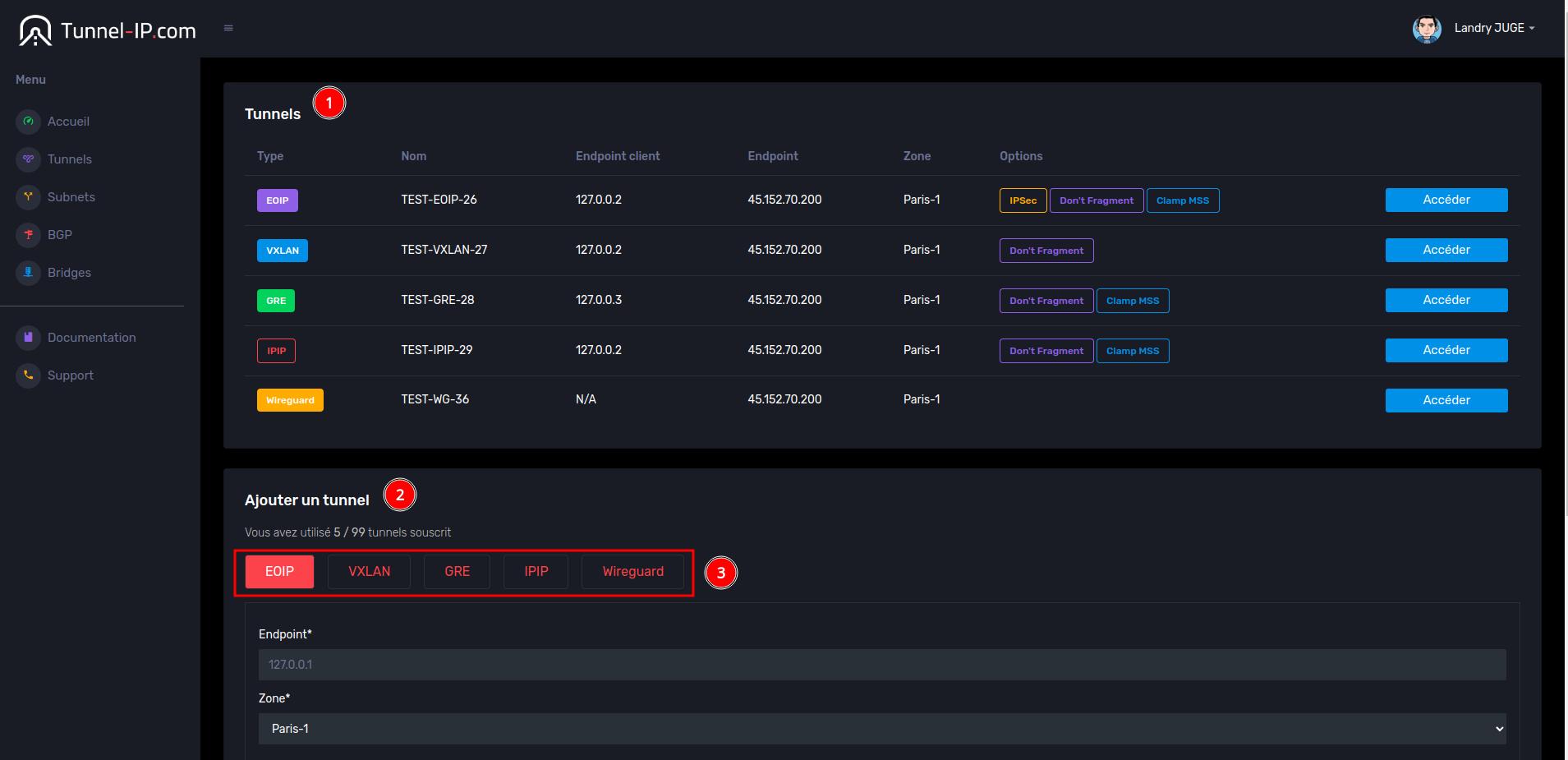
On this page you'll find the creation and visualization of your tunnels, in #1 the list of your tunnels and the and the possibility of accessing and modifying tunnel information.
Then, in #2, you can add a new tunnel. Simply choose the type of tunnel you want with #3
Page Subnets :
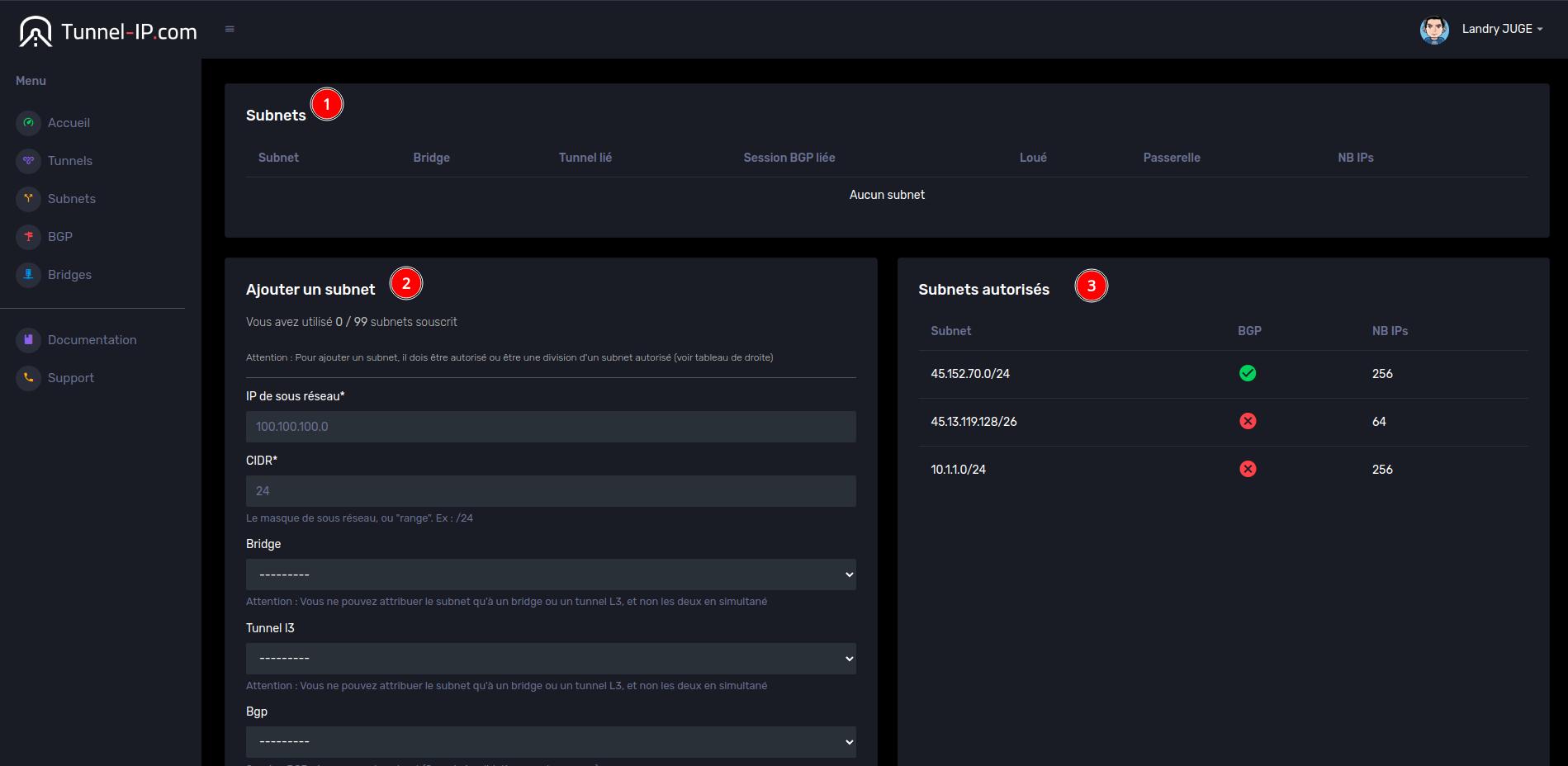
On this page, you always have the list of subnets (#1) as well as the addition (#2), but you also have the list of the subnets you're allowed to use (#3)
BGP page :
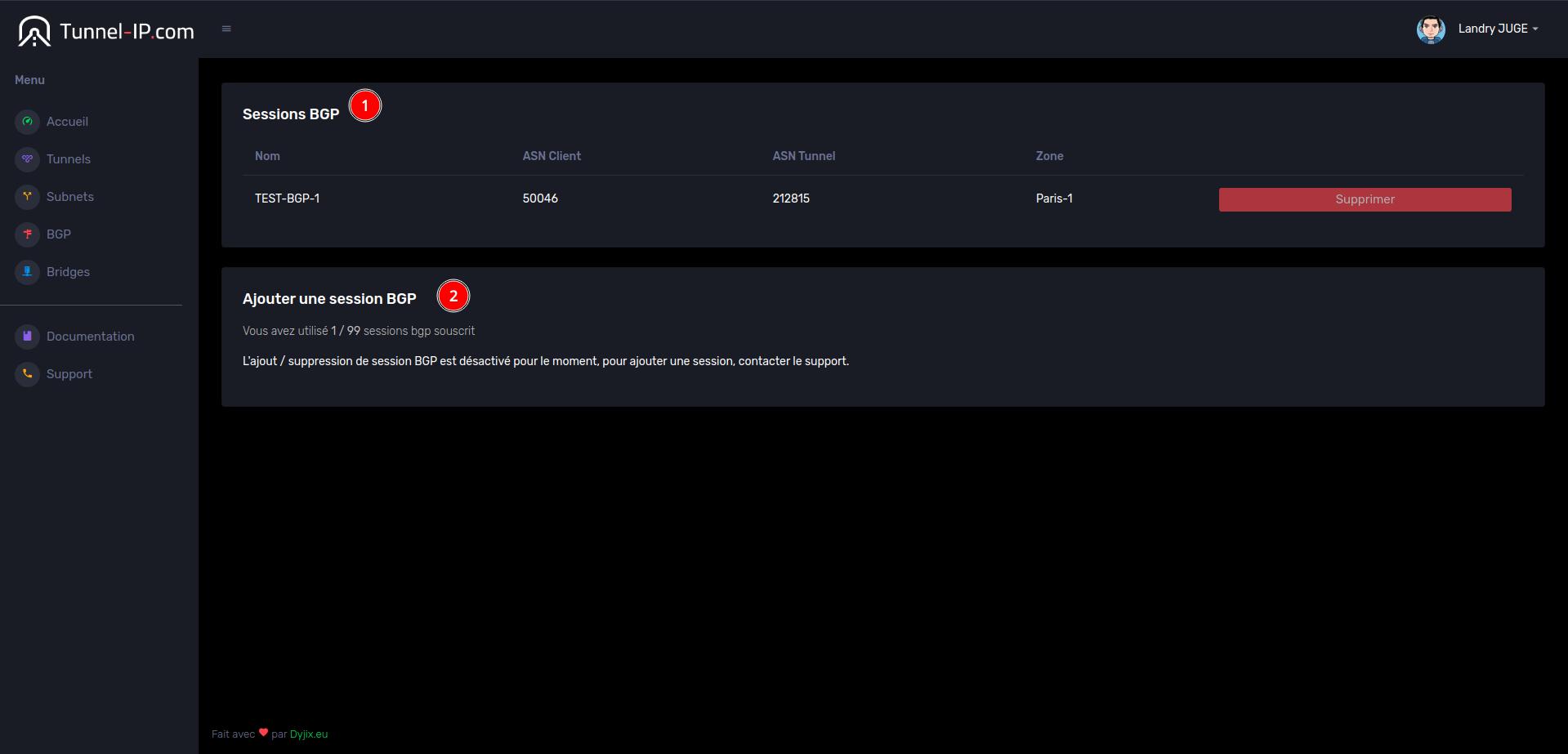
Bridges page :